Access on Windows 10
Note on use outside the HTW (e.g. at home):
Outside the HTW (e.g. at home) it is necessary to establish a VPN connection to the university!
This article will walk you through on how to establish an VPN connection on your computer.
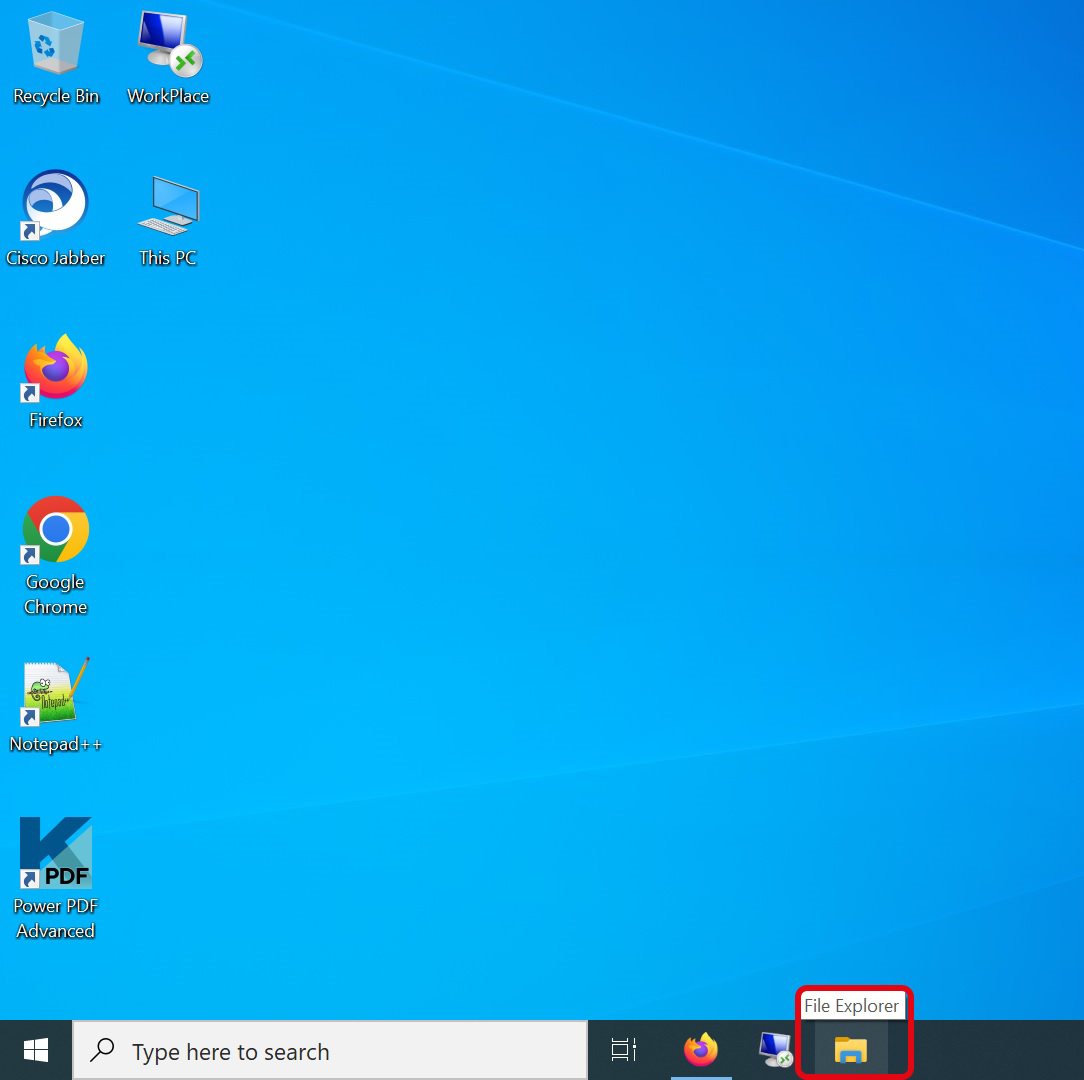
Step 1: Open File Explorer
Click on the "File Explorer" symbol in the lower task bar to open the "File Explorer". As alternative you can open Windows Explorer with the key combination "Windows key + E".
Step 2: Connect network
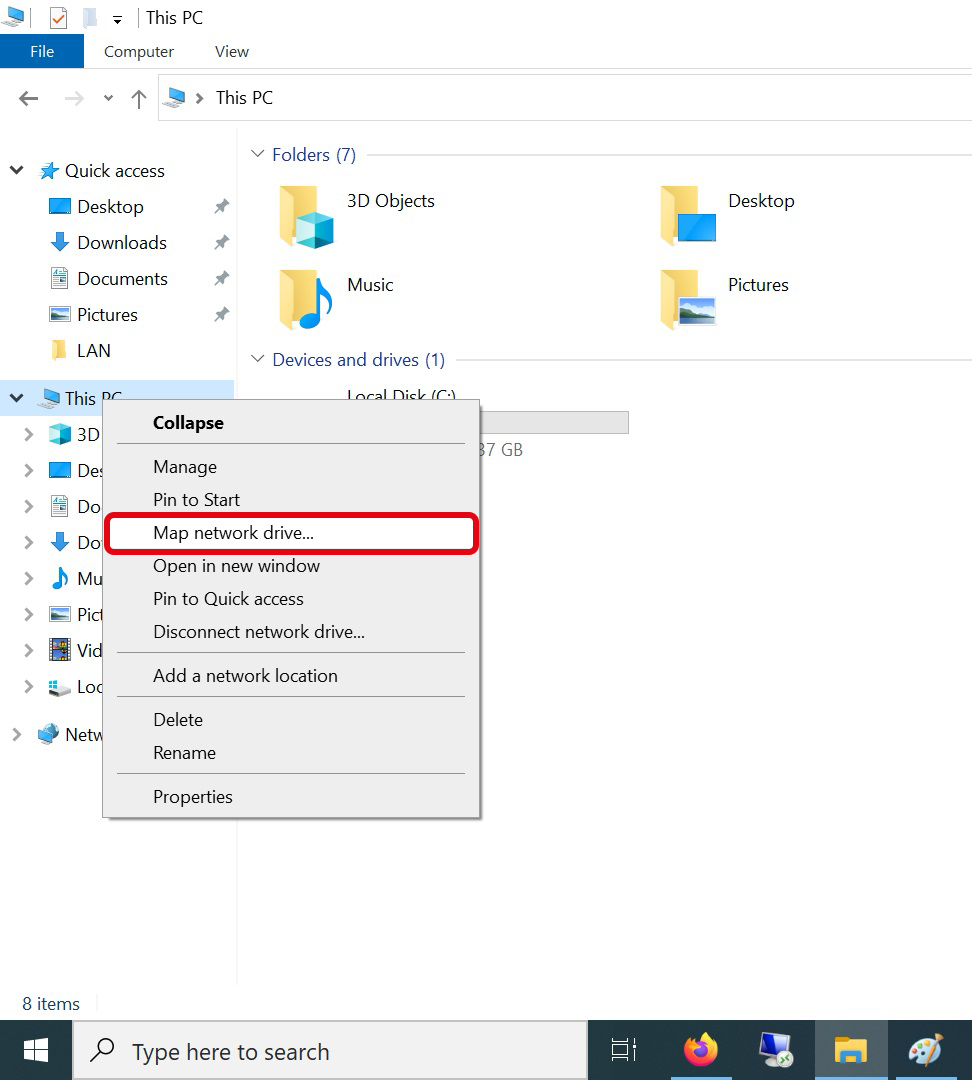
After the Windows Explorer is open, right-click on "This PC" in the left folder bar and select "Map network drive..". As an alternative you can right-click on "This PC" icon on the desktop if displayed and select the menu item "Map network drive...".
Step 3: Enter server information
Please select a free drive letter and enter as folder:
\\space.htw-berlin.de\[YOUR-HTW-USERNAME] (e.g. \\space.htw-berlin.de\s0000001).
Then check the box next to "Connect using different credentials" and confirm the dialog with "Finish".
![[Translate to Englisch:] Netzlaufwerk verbinden Fenster mit Ordnerpfad](https://www.rz.htw-berlin.de/fileadmin/HTW/Zentral/ZE_HRZ/anleitungen/Speicherplatz/Win_10/03_serverinfo.png "[Translate to Englisch:] Serverinformationen eingeben - Screenshot © HTW Berlin")
Step 4: Enter your personal login information
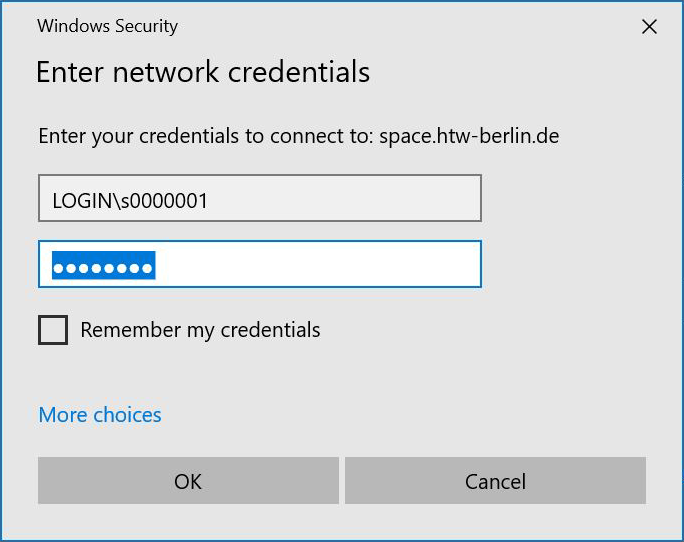
Click on “Use another account” and then enter your HTW account credentials.
Your login name has to be put together like this: LOGIN\[YOUR-HTW-USERNAME] (e.g.LOGIN\s0000001).
Confirm the entry with "OK"
Step 5: Connected
Once you have successfully entered your login data, the “HTW Space” will be displayed as a drive.
![[Translate to Englisch:] Explorerfenster mit Netzlaufwerk](https://www.rz.htw-berlin.de/fileadmin/HTW/Zentral/ZE_HRZ/anleitungen/Speicherplatz/Win_10/05_netzlaufwerk_verbunden.png "[Translate to Englisch:] Verbindung hergestellt - Screenshot © HTW Berlin")